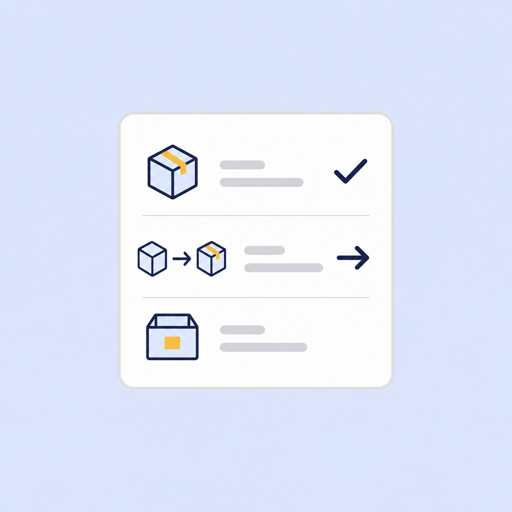
Inventory position
Current stock, location, warehouse, inventory value, reorder threshold, and product/category context.
Retail inventory resource
Maven turns POS inventory, stock movements, sales velocity, transfer opportunities, supplier context, and purchase-order signals into trusted retail reporting without a technical team managing pipelines, models, dashboards, recurring reports, and analysis.
Why this template exists
Start with a simple item list: what is in stock, what needs a reorder, and what is running low. Maven can expand the same template into a governed POS report when you are ready to automate the checks.
Maven report preview
Items checked
3
Low inventory
1
Needs reorder
1
| Item name | Status |
|---|---|
| Citrus sparkling water | Low inventory - 18 in stock |
| Cold brew cans | Check in stock |
| Reusable tote | Needs reorder - 18 units |
What Maven evaluates
Current stock, location, warehouse, inventory value, reorder threshold, and product/category context.
Recent POS units sold and revenue by product and store so stock counts are interpreted against actual demand.
Deliveries, adjustments, transfer-in, transfer-out, and other signed stock changes that explain what happened.
Purchase order, stock receipt, ordered units, received units, vendor, and fill-rate context when available.
How the report works
Start with product/location rows that are below reorder, overstocked, missing movement context, or forecasted to run out.
Classify each row as restock, transfer, supplier follow-up, count review, reconciliation, or no action needed.
Sort actions by urgency, sales velocity, days cover, revenue at risk, supplier status, and data confidence.
Use Maven for the trusted reporting layer, then execute purchases, transfers, and counts in the POS or internal workflow.
Retail source coverage
These reports belong to Maven's Retail vertical. KORONA POS is the first detailed proof point, and the same report templates unlock for other retail POS sources when the workspace has the required inventory data.
First source-specific proof point for stock, movement, purchase order, and transfer analysis.
View integrationUses the same retail report templates when workspace inventory coverage is enabled.
View integrationFits the shared POS inventory model for multi-location retail reporting.
View integrationRelated retail resources
Diagnose whether inventory counts, movement history, and coverage are trustworthy before choosing an action.
Open resourceReportDrill into supplier replenishment when the weekly action plan routes a SKU toward buying more stock.
Open resourceReportDrill into store-to-store transfers when one location can solve another location’s stockout risk.
Open resourceOperator output
Simple item-level status list
Low inventory, check in stock, and needs reorder flags
Optional in-stock and reorder quantity context
Purchase-order and receipt follow-up when supplier data is available
Honest empty states for missing supplier, transfer, price, or reconciliation fields
Drill-down paths into health, restock, and transfer supporting reports
Inventory Action Plan Template FAQ
Start with the template, then connect a supported POS source when you are ready to automate inventory health, restock, transfer, purchasing, and reconciliation reporting.
Bring the sources and reports where the numbers do not match. We'll show how Maven gets you to trusted dashboards without a data team.
We'll map your first trusted dashboard
You'll see what Maven handles: sources, definitions, refreshes, and outputs
No pitch deck. No pressure. 20 minutes.