Retail inventory and POS reporting
Retail inventory and POS reporting built for operator action.
Maven turns retail source data into trusted reporting without making your team stand up pipelines, models, dashboards, recurring reports, and analysis from scratch.

Retail Inventory Health Dashboard
Diagnose stock accuracy, movement history, reorder coverage, and risk before choosing the next action.
Read guide
Retail Inventory Restock Report
Prioritize replenishment by SKU, store, supplier, sales velocity, and revenue at risk.
Read guide
Retail Inventory Transfer Plan
Find store-to-store transfer opportunities from stock on hand, source coverage, and POS velocity.
Read guideSource overview
Start with POS and inventory sources that prove the reporting layer.
KORONA POS anchors the first retail slice. Square and Lightspeed stay as adjacent source proof for shared inventory and POS report patterns instead of separate source-specific solution pages.

KORONA POS
First source-specific proof point for inventory health, stock movements, purchase orders, and transfer planning.

Square
Shared retail report templates unlock when the workspace has the required POS inventory coverage.

Lightspeed
Fits the same POS inventory reporting pattern for location, product, and stock analysis.
Reporting jobs
Start where operators feel the most daily pressure.
POS inventory data connects stock, sales velocity, store location, supplier action, and forecasting. Maven uses that foundation to build the reporting layer operators need before expanding into ecommerce, accounting, loyalty, and retail media.
Inventory health
Diagnose stock accuracy, movement history, reorder coverage, and risk by product, store, warehouse, supplier, and category.
Restock planning
Prioritize purchase and replenishment work from current stock, recent sales velocity, lead time, and safety stock assumptions.
Store transfers
Find transfer candidates before stockouts become missed sales, using source coverage, destination demand, and POS velocity.
Stock orders and receipts
Review units ordered, units received, delivery timing, supplier follow-up, and purchase-order fill patterns.
POS reporting
Track sales, discounts, product performance, and store activity across locations with definitions operators can reuse.
Forecasting and reconciliation
Surface forecasted stockouts, data-health issues, payment timing differences, and revenue reconciliation questions.
Reporting workflow
From source data to trusted retail reports, without the BI backlog.
Maven manages the reporting path from connected source data to modeled metrics, dashboards, recurring reports, and agent-ready analysis.
Connect retail sources
Start with supported POS and inventory systems such as KORONA POS, Square, or Lightspeed.
Map retail metrics
Turn products, stores, stock movements, orders, receipts, and POS sales into governed reporting definitions.
Build reports and dashboards
Publish inventory health, restock, transfer, purchasing, and POS reporting views from the same modeled layer.
Keep analysis moving
Use recurring reports, agent answers, and data-health checks so operators know what changed and what to do next.
Report resources and templates
Shared report resources, source-specific proof.
These resources stay report-led across retail sources. KORONA, Square, and Lightspeed provide proof and unlock context, but the reporting templates remain shared Retail assets.
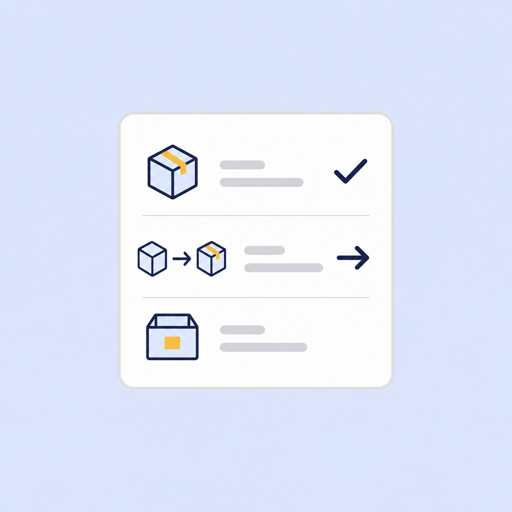
Retail Inventory Action Plan Template
Turn POS inventory, sales velocity, stockout risk, transfers, supplier buys, and receipt follow-up into one weekly action plan.
Open resourceRetail Inventory Health Dashboard
Diagnose stock accuracy, movement history, reorder coverage, and risk before choosing the next action.
Open resourceRetail Inventory Restock Report
Prioritize replenishment by SKU, store, supplier, sales velocity, and revenue at risk.
Open resourceRetail Inventory Transfer Plan
Find store-to-store transfer opportunities from stock on hand, source coverage, and POS velocity.
Open resourceBuilt for
Packaged for teams that need retail reporting to stay usable.
The page is organized around the reporting job. These buyer packages help the same reporting layer land with the teams that usually own retail data work.
Agencies supporting retailers
Package repeatable retail reporting for clients without rebuilding inventory and POS models for every account.
Marketing and ops teams
Connect store performance, stock availability, discounts, and campaign context when retail teams need one trusted view.
Operators and SMB owners
See replenishment, transfer, and reconciliation questions clearly without managing data pipelines or BI backlog.
Build trusted retail inventory reports from the sources you already operate.
Start with a supported POS source, then layer in ecommerce, accounting, and other retail systems as the reporting roadmap expands.
Book a retail analytics demoReady for marketing data your team can finally trust?
Bring the sources and reports where the numbers do not match. We'll show how Maven gets you to trusted dashboards without a data team.
We'll map your first trusted dashboard
You'll see what Maven handles: sources, definitions, refreshes, and outputs
No pitch deck. No pressure. 20 minutes.